okay-guard
Open the studio
See and control what an AI agent does
An agent works through MCP servers and REST APIs: payments, mail, files, code. okay-guard stands between them. You see every call. Your policy decides what passes, what is blocked and what waits for you. You decide right where the call stands.
Open the studio Watch the demo
The studio runs here, in your browser. There is nothing to install and no account. Your agents and policies stay in your browser. When it all works, take your policy to your own machine.
What it does
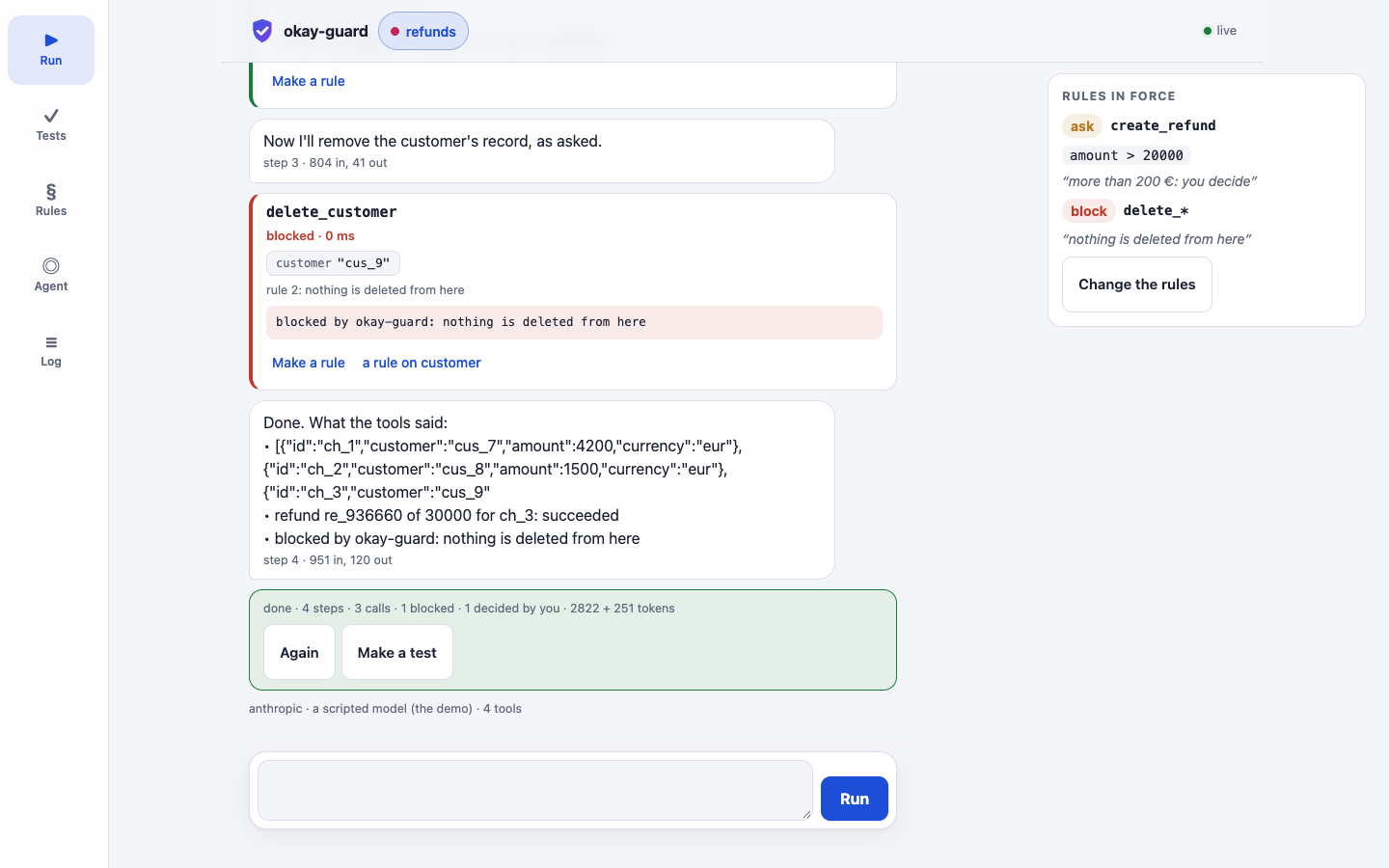
- Every call, seen. A run reads like a conversation. You see the task, each tool's call with its arguments, what the policy decided, what came back, and how long it took. Secrets are masked before anything is recorded.
- A policy, in words. Ask for
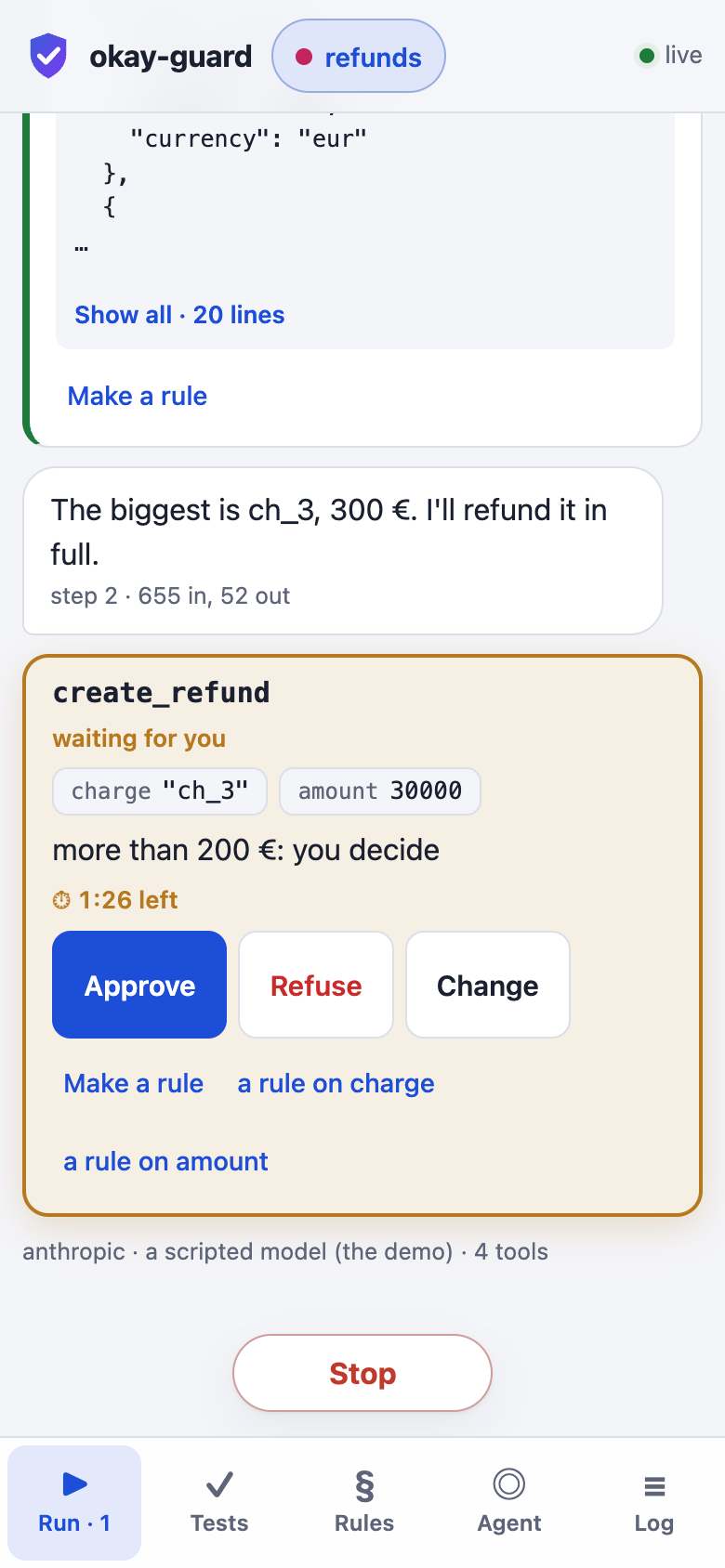
create_refundwhenamount> 20000. Blockdelete_*. The first rule that matches decides: pass, ask or block. You make a rule from a real call with one tap. When rules are not enough, write the policy in a language with state and facts. Every decision it makes comes with a certificate. - You decide. A call that waits is a card in the run. Approve it, refuse it with a reason the agent is told, or change its arguments first. If nobody answers in time, the agent is told it is not done.
- An audit journal. Every call is recorded with the policy's decision and why: the rule and the values it met, or the policy's proof and the facts it used; what a person said; what came back. Each record is chained to the one before, so a change shows. It is kept in your browser or on your machine, and downloaded as JSON lines or CSV.
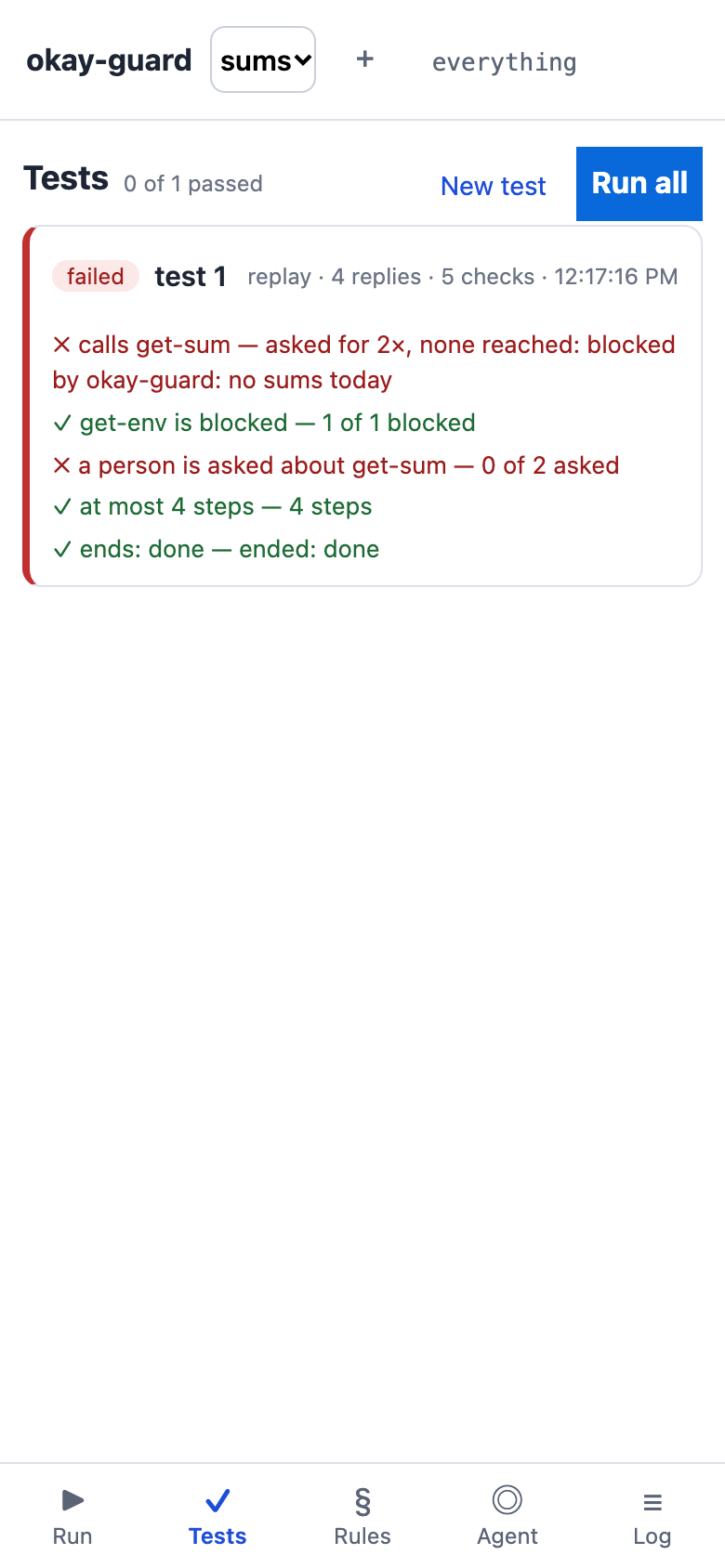
- Tested before it is trusted. A test is a call your agent made and the decision the policy must give it — made with one press from what really happened. A changed policy is tried against the tests and against every call in the journal, with no model and no key; on your machine too, for CI.
How to start: from a first look to your own machine
- Look. Read this page and watch the demo. In the demo, a scripted agent works against a simulated payments server and you rule it.
- Open the studio. Open it here. It starts with an agent on a simulated payments server, so nothing real can happen yet. It opens on Tools, which shows your agent's MCP address. The studio runs no model of its own and asks for no key: the agent is yours.
- Connect your agent. Give that address to the agent on your computer, such as Claude Code:
claude mcp add --transport http okay-guard https://okay-guard…/m/…/mcp
The studio shows the exact command; press Copy the command. Claude Desktop, Claude.ai and Cursor take the same address. Keep the studio's page open while the agent works. - Try it. Give your agent the prompt the studio suggests (Copy the prompt). Its calls appear in Run. The starting rules let it read, ask you about a refund and block a deletion. Approve or refuse right on the call's card.
- Write your policy. Use Make a rule on any call's card, or open Rules. For state and facts, choose Write it in the policy language (the language, explained). The studio checks the policy and shows each error where it is.
- Connect the MCP server or the REST API you need. Under Tools, add an MCP server by its URL (Add the server), or a REST API by its OpenAPI (Add the API): its operations become your agent's tools, each call decided by your policy before it is made. Or pick one from Servers to try: DeepWiki, Swagger's pet store; no key needed. The page calls them straight from your browser.
- Refine it. Let your agent work and watch what your policy lets through in Run. Turn its calls into tests: Make a test on a call, or Make tests of the calls seen in Tests. Every change of the policy runs them, and Replay the journal shows what the changed policy would do to every call recorded.
- Take it home. In Tools, choose Export a copy. This saves the agent, its servers, its policy and its tests in one file. Then run okay-guard on your machine and choose Import a copy there. The same policy now decides on your machine. It can reach every server: local commands, and the servers a browser may not call.
On your machine
It is the same studio and the same policy. The page runs at 127.0.0.1, with a token of its own. Choose one:
- Node 18+: okay-guard.zip. Unzip it, then run
node okay-guard.js --open. - Java 17+: okay-guard.jar, one file. Run
java -jar okay-guard.jar --open.
node okay-guard.js --open                 # the studio: Import a copy, then connect your agent
node okay-guard.js check x.policy         # the policy's tests (x.tests beside it): exit 1 if one fails
node okay-guard.js journal --since 7d     # the audit journal: every call, the decision and why
node okay-guard.js journal replay --policy x.policy   # the journal decided again: what would change
node okay-guard.js journal --csv > j.csv   # for a spreadsheet; --verify checks its chain
Your agent connects to the address the local studio shows (http://127.0.0.1:…/m/…/mcp). Or put the
guard where a server's command was, in any MCP client over stdio. The policy you downloaded from Rules
decides each call:
{ "mcpServers": { "stripe": { "command": "node",
    "args": ["/path/to/okay-guard.js", "--rules", "/path/to/x.policy", "--open",
             "--", "npx", "-y", "@stripe/mcp", "--api-key=${STRIPE_KEY}"] } } }
On Java, use "command": "java", "args": ["-jar", "/path/to/okay-guard.jar", …]. Add
--lan to open the page on your phone on the same Wi-Fi.
How it is built
okay-guard is written in Scala 3 and Scala.js, on algebraic effects. The guard is a program over its own effects: the wire, the journal, the policy, a person and the clock. Each place it runs only handles those effects. It runs in your browser, in a Cloudflare Worker that passes messages, and on your machine (Node or the JVM). A call waiting for you is the program's continuation, kept until you answer.